
Snap To Pixel: a Figma plugin
There are two types of designers: those who have pixel snapping enabled, and those who don’t. I can't believe I opened a post with that cliche, but I guess it's true.
Personally, I keep it off to avoid the jarring snapping when I draw, but it comes with a cost: messy values and half pixels all around. So I've wondered, why can't you snap to pixels afterwards? Like with any unsolved Figma problem, we ended up building a plugin.
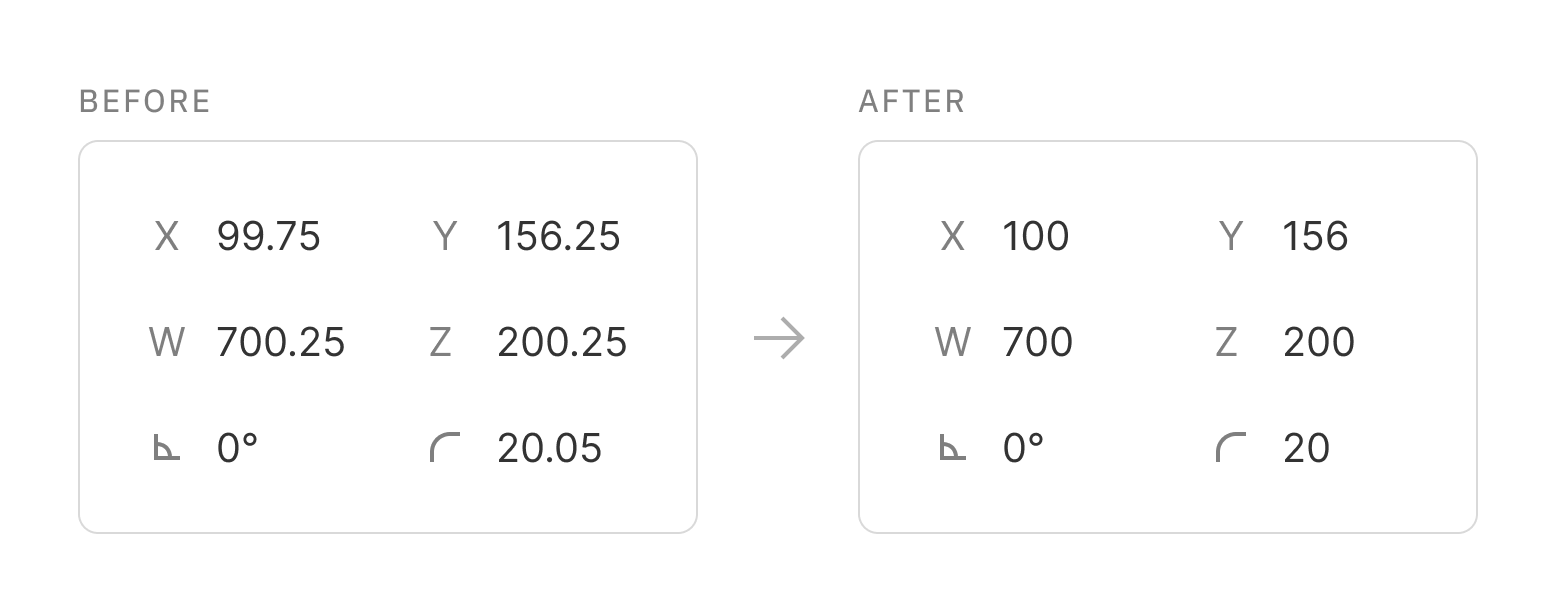
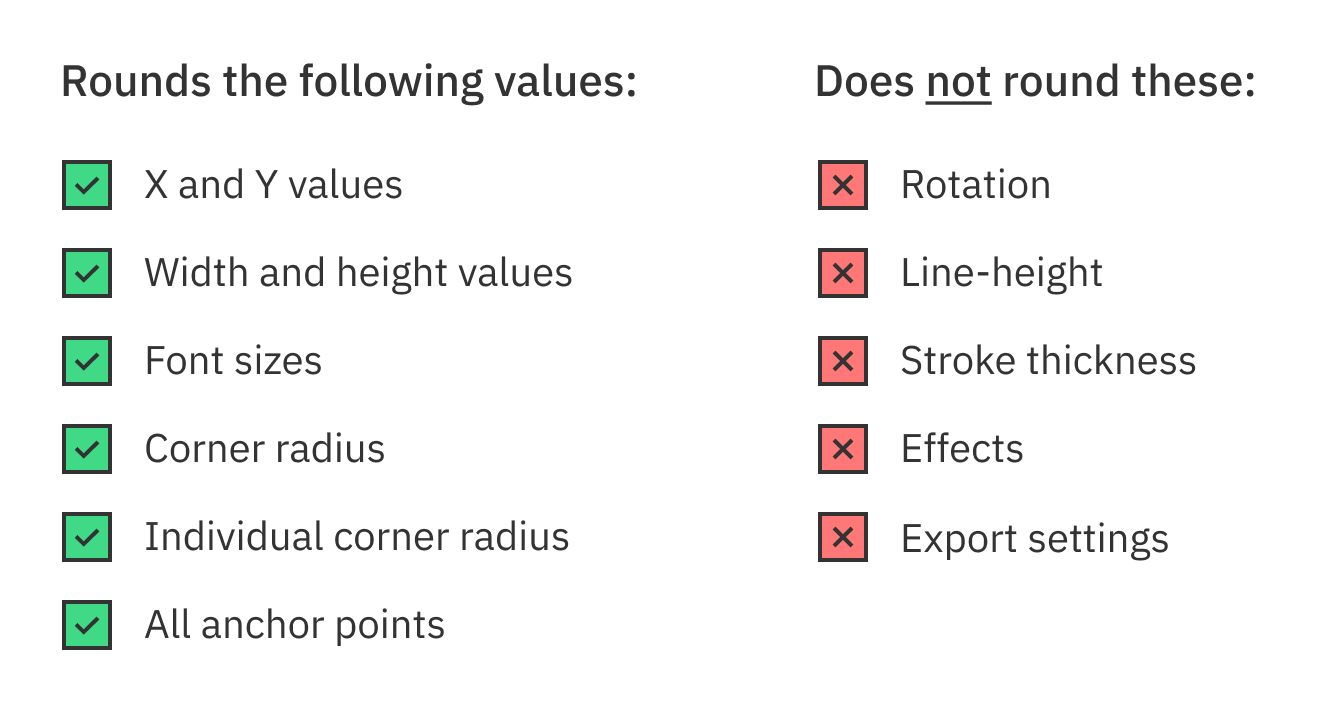
Run the plugin to snap your selection to the pixel grid, round values, and remove any unwanted decimals. This will apply to position, dimensions (sizes), font sizes, and corner radius. A massive thanks to my colleague Anders for actually making this happen.
Bonus tip: keyboard shortcut
A nice way to slide this into your workflow, is to set up a keyboard shortcut after installing the plugin.
Go to Systems Settings > Keyboard > Keyboard Shortcuts > App Shortcuts and press the plus icon. Select Figma, make sure the Menu title is Snap To Pixel (spelled just like that), and assign whatever shortcut you like. I think ⇧⌘B is perfect: quick to press as my left arm is resting in the area, won't go off as an accident, and is not occupied by some other Figma (or Mac) command.
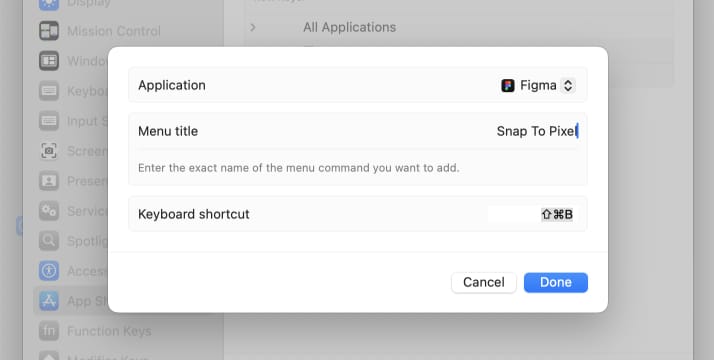
One you've set it up, it looks like this:
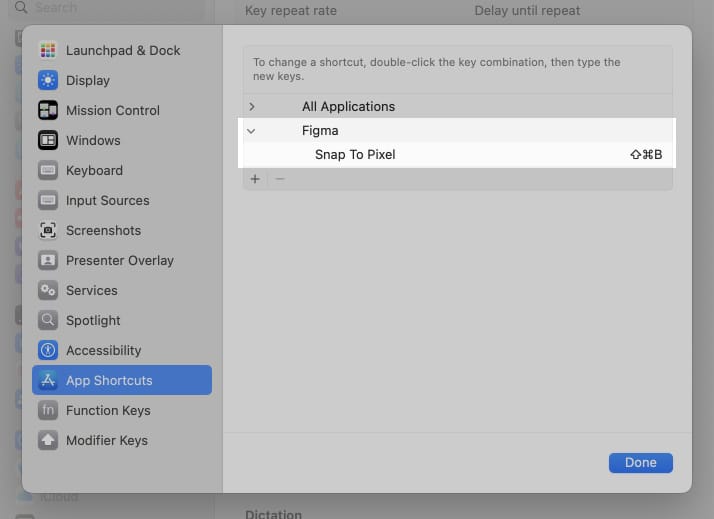
Voila! Now go select stuff in Figma and round it like you're back in woodwork class. Just make sure to set it up on every device you use.
PS: Selecting everything on a page and running the plugin is risky. Unwanted snapping may occur in places that goes unnoticed to you – like deforming of icons.